
Tree (WBS)
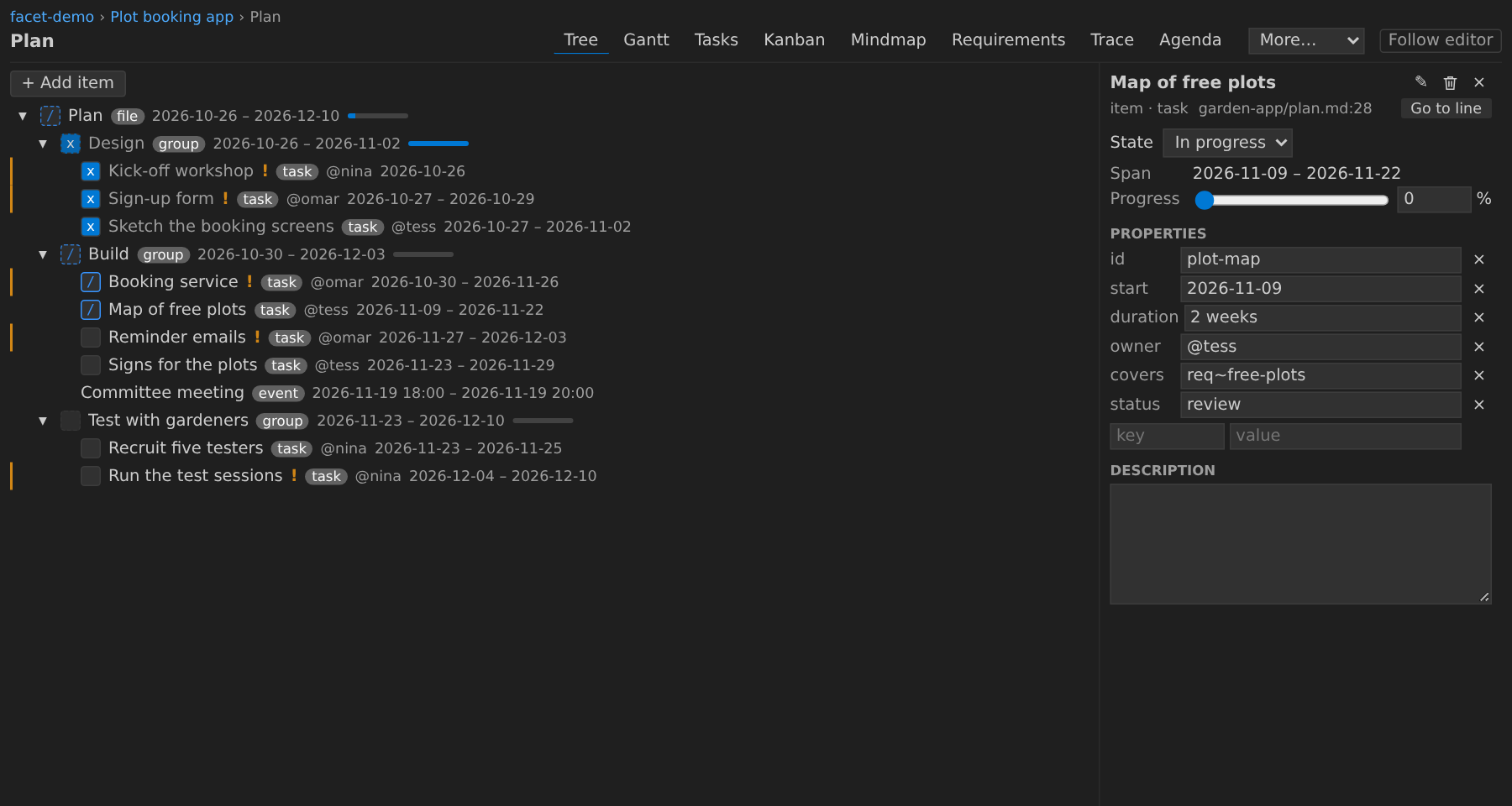
The Tree shows a file or folder as an outline: folders, files, headings and list items, nested as in the text. It is a work breakdown structure (WBS) with progress rolled up from the leaves.
Open it
Section titled “Open it”Show a file or folder in the Facet tab and pick Tree in the view switcher. The Tree is offered for every file and folder.
What it shows
Section titled “What it shows”Each row shows, when the node has them:
- a twisty to fold and unfold its children;
- its checkbox state, or for a parent, the state rolled up from its children;
- its title;
- a ! mark when it is on the critical path;
- its type: task, group, event, milestone, note, requirement and so on;
- its owners, computed dates and
due::date; - a progress bar when it has children. Progress is weighted by duration and ignores cancelled tasks.
Branches brought in by include: are marked “included”. How types and
roll-up work is described in Nodes and properties
and Dates and scheduling.
| Do | To |
|---|---|
| Click a checkbox, or Space on a row | tick or untick the task |
| Double-click a title | rename it |
| Enter on an item row | add a sibling after it |
| Enter on a heading, file or folder | add an item as its last child |
| Tab on a row | add an item as its last child |
| Delete or Backspace | delete the node and everything below it |
| + Add item | open the composer to add an item |
Ticking writes [x] (or [ ] again) in the checkbox. Renaming changes the
title only: the checkbox and properties stay. A new node is a plain list
item, - title, placed after the selected node or in the section you pick
in the composer. Deleting a node that has children asks first. Files and
folders are not deleted from the Tree.
Select and navigate
Section titled “Select and navigate”Click a title to select it. The details pane shows the node’s state,
properties, computed dates, description and problems. For a leaf task it
has a progress slider that writes progress:: N%.
Ctrl+click (Cmd+click on macOS), Ctrl+Enter, or “Go to line” in the details pane opens the line in the text editor.
The arrow keys move between rows. Right unfolds a row, Left folds it or goes to its parent.